Saturday, February 1, 2014

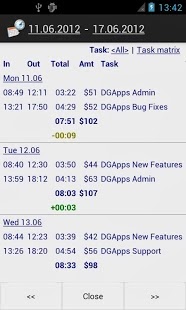
Time Recording Pro 5.08


Download via Google Play:
 
 Current Version: 5.08
Requires Android: Varies with device
Category: Productivity
v5.08 update:
5.08, Jan/30
• New report settings for custom heading on HTML reports
• New add-on app «Report Reminder»
App Link: <a href=”https://play.google.com/store/apps/details?id=com.dynamicg.reportscheduler”>Report Reminder</a>
→ also see Info/«What’s new» for more information. Time Recording 5.x requires Android 4 or higher.
Overview:
This is the “Pro” version of Time Recording, market leader in timesheet apps in the Google Play store.
→ PLEASE USE THE FREE VERSION FOR A COUPLE OF DAYS BEFORE GOING PRO! Refund time is too short to test all the features, the free version has all the core functionality.
• Free and Pro versions are basically identical, so free version users will feel at home.
• Main “Pro only” feature is «Google calendar sync», plus it’s ad-free.
• Migration to Pro is easy: install and open “Pro” – the app will prompt for import of data and settings from the free version.
• Usage of Free and Pro version in parallel is supported but may lead to confusion. Consider uninstalling the free version a few days after “Pro” migration.
→ For detailed changelog see FAQ.
→ App also available on www.androidpit.com for those who want to pay through PayPal.

CalcTape Free Tape Calculator 1.2.2


Download via Google Play:

Current Version: 1.2.2
Requires Android: 2.2 and up
Category: Finance
v1.2.2 update:
Changelog 1.2.2
============
- Classic skin is back via settings
- Korean translation
Changelog 1.2.1
============
- Summary lines on Android 4.4.x
Changelog 1.2.0
============
- New design (can be changed in settings)
- New keyboard for left-handed persons
- Turkey localization
- New app icon
- General improvements
Overview:
Calculate. Comment. Correct.
CalcTape makes the arithmetic process visible – you can do multiple calculations and subsequently correct or change all numbers and operations.
CalcTape is a revolutionary new kind of pocket calculator. With CalcTape, also extensive calculations remain clearly structured:
- Input a long list of values to be calculated and never lose the overview – just like with an adding machine with a paper tape.
- You can use intermediate results to structure and to check your results.
- If you should later change individual mathematical expressions, then the complete calculation is automatically updated.
- Intuitive percentage calculations.
- Input comments on single items and results and add notes wherever you want.
CalcTape Paper Tape Calculator is free and your ideal companion for office and personal calculations – everyday.
===================
If you find any problem feel free to contact us. You can help us improving CalcTape Smart Calculator by stating your Android version and smartphone model.

Flatro – Icon Pack 2.0


Download via Google Play:
 
 
 Current Version: 2.0
Requires Android: 4.0 and up
Category: Personalization
v2.0 update:
V2.0
- Now with over 1000 icons.
- All icons redrawn at a larger size
- Various revamped icons.
- Dashboard app updates
- More wallpapers
- Matching widgets
- Activity name fixes
Detailed Changelog: https://plus.google.com/115988270458354777272/posts/iQG7RYQKEV8
Video: https://www.youtube.com/watch?v=9haRVY8tEOY
Please rate/review if you haven’t already.
Overview:
Flatro is a icon set for launchers, a blend of Retro, Minimal and Flat, they all come together to create a fresh and unique icon set.
———————
What’s in Flatro version 2.0?
- Over 1000 custom icons.

- Icon masking/backing support for unthemed icons.
- Matching Zooper Widgets

- Dashboard App

- 24 minimal wallpapers crafted to suit the icons.
- Various alternatives to some icons.

- Various misc icons for general use.

- Wallpaper picker with crop function in the dashboard application

- Support for Apex, Nova, ADW, Smart, Action, TSF (Basic Icon Support), Go (Basic Icon Support) and a few others.
———————
Why the permissions?: http://ryanmkelly.me/android/iconpacks/permissions/
——————–
How do I use this?
Inside the Dashboard app, you’ll see various options, In the Apply section, you can easily Apply to 5 supported launchers.
For others, you have to go into the Launcher settings yourself and change the theme, this happens on launchers such as GO, SL Launcher and many more. (Go users must remove the icon masking in the settings for it to correctly apply).
———————
Want more wallpapers? Check these out! http://ryanmkelly.me/android/wallpaper/index.html
——————–
Something isn’t working, what can I do?
If something isn’t working for you, or you need help with something, please email me. I’ll reply with in 48hrs. You can find my email in the app itself, or under this description.
———————
Please rate/review and check out my other work. Enjoy!
flatro, icons, adw, apex, action launcher, nova, ryan kelly

Crius Pro 1.3.2


Download via Google Play:

Current Version: 1.3.2
Requires Android: 4.0 and up
Category: Personalization
v1.3.2 update:
V1.0
Initial Release.
V1.1
Minor unit fix.
V1.2
- Add calendar options.
- Icon pack support.
- Weather source selection.
- Weather forecast.
- Analog Clock Color option.
V1.3
- Fixed weather crash on some ICS devices.
V1.3.1
- Fixed minor bug with weather icons not appearing
V1.3.2
-Fixed minor UI
Overview:
Crius is an elegant Home and Lock screen clock and weather widget brought to you by XDA Recognized Developer EatHeat.
This is based on the CyanogenMod cLock widget but backported to lower versions. Currently, the Calendar Settings are not supported but it will be added back later.
Visit the XDA thread here: http://forum.xda-developers.com/showthread.php?t=2592610
+++++++++++
PLEASE NOTE
+++++++++++
1) Lock screen widgets are only supported on Android 4.2+. This is a limitation of Android itself.
2) On some devices you may have to reboot your device after installing for the widget to show up in the widget picker.
3) Make sure to use a launcher supporting resizable widgets.
4) This is a widget and you need to drop it on your home screen or lockscreen first. You can customize the options from the app drawer, but this will not put the widget on your home screen by itself!
5) PLEASE REBOOT ONCE IF YOU DO NOT SEE THE WEATHER ICONS APPEARING AT FIRST.
++++++++++++++++++
STANDARD FEATURES
++++++++++++++++++
*CLOCK*
- Toggle Digital/Analog Clock.
- Show/Hide Alarm.
- Bold/Normal style for hour.
- Bold/Normal style for minutes.
- Show/Hide AM/PM.
- Bold/Normal style for date and alarm.
- Custom colour for hour and minutes.
- Custom colour for alarm.
*WEATHER*
- Show/Hide weather.
- Custom refresh interval for weather updates.
- Custom weather location.
- Toggle between color/white icons.
- Show/Hide location.
- Show/Hide timestamp.
- Invert low/high temperature.
- Custom weather font color.
- Custom timestamp color.
- Choose between weather source.
- Forecast on clicking weather.
- Icon pack support.
*CALENDAR*
- Show/Hide calendar.
- Choose calendar.
- Choose calendar lookahead.
- Set reminder.
- Show/Hide calendar icon.
- Show/Hide event icon.
- Show/Hide location.
- Show/Hide description.
- Set font color.
- Set details font color.
- Stylize bold/normal font.
+++++++++++++
PRO FEATURES
+++++++++++++
*GENERAL*
- Show/Hide settings button on widget.
- Set color to settings button on widget.
- Reset settings.
- Backup settings.
- Restore settings.
*CLOCK*
- Separate date color.
- Hide/Show date.
- Hide/Show clock.
- Separate hour/minute color.
- Separate AM/PM color.
- Separate bold/normal for date.
- Separate bold/normal for alarm.
- Option for bold/normal AM/PM.
- Set Analog Clock color(!!!)
More features will be added later. Please leave your valuable ratings, reviews and suggestions. You can mail me for any help regarding this app.

Twitch 2.3.0


Download via Google Play:
 
 Current Version: 2.3.0
Requires Android: 4.0 and up
Category: Entertainment
v2.3.0 update:
- Find and watch any live broadcast. Yes, ANY LIVE BROADCAST. Non-partners served in source quality. (Mind your data plan.)
- Clicking a Twitch channel link from another app (eg, Twitter) redirects to and opens Twitch app.
- Bugs swatted.
Much channels. Very redirect. So joy. Wow.
Overview:
Twitch is the world’s leading video platform and community for gamers where more than 45 million gamers gather every month to watch and interact around the games they love. We are leading a revolution in video game culture, turning gameplay into an immersive entertainment media experience.
Watch your favorite streams over both 3G/4G and WiFi networks, and switch between different quality levels to optimize channels based on your connection.
WHAT THE PRESS ARE SAYING:
CBS News – “For a video game lover, like myself, the site is addictive. Not only do I get to see games that I’m interested in before deciding to buy, but also get to watch how other people play.”
Mashable – “If you’re ditching cable, there are many alternative content destinations online. If you’re a gamer, one of those is probably TwitchTV.”
PC World – “The quality and selection simply blow most of the other live-streaming apps out of the water when it comes to game-specific channels.”

hello sms 1.5.6


Download via Google Play:
 
 Current Version: 1.5.6
Requires Android: 2.2 and up
Category: Communication
v1.5.6 update:
This version:
• Bug fixes and improvements
Last version:
• Text messages from other countries will now show a flag
• New setting for LED light or waking up the display
• Bug fixes & performance improvements
Overview:
Meet the world’s first SMS app with tabs. It’s the fastest way to text.
You can group chat easily, send and receive photos quickly, and switch between chats with a single touch. Hello is a streamlined way to text: no inbox, no clutter, no ads. Just you and your conversations.
Hello replaces your default SMS app by creating a deep integration with your phone that makes tabbed texting a seamless experience.
We’re constantly working to make hello better — try it and tell us what you think!

Unit Converter Ultimate 2.0.3


Download via Google Play:
 
 Current Version: 2.0.3
Requires Android: 2.1 and up
Category: Tools
v2.0.3 update:
Version 2.0.3:
- added ability to move to SD card
- Included some user-requested conversions
Version 2.0.2:
- Included some user-requested conversions
- Minor improvements
Version 2.0.1:
- Included some user-requested conversions
- Minor improvements
Version 2.0:
- A lot of the code has been rewritten, app should run even faster and smoother!
- Added “clear” button
For all of you that sent in unit requests – don’t worry, they’re coming!
Overview:
A simple and easy-to-use unit converter to handle any conversion you’ll ever need.
The beautiful holo-themed user interface allows for quick and easy conversions from a number in one unit to another. The goal is to keep it simple – you won’t be overwhelmed with an excess of options and settings, allowing you to perform your desired conversion as quickly as possible. Perfect for work, school or in the kitchen.
Available unit conversions include:
- Temperature (celsius, fahrenheit, kelvin, etc)
- Length (kilometer, miles, meter, yard, feet, etc)
- Mass/Weight (kilogram, pound, ounce, ton, stone, etc)
- Speed (km/h, mph, knot, etc)
- Area (square kilometer, square mile, hectare, acre, etc)
- Cooking Volume (teaspoon, tablespoon, cup, pint, quart, ounce, etc)
- Pressure (kilopascal, bar, PSI, etc)
- Power (watt, kilowatt, horsepower, etc)
- Energy (joule, calorie, BTU, etc)
- Time (year, month, day, hour, second, etc)
- Fuel Consumption (miles per gallon, liters per 100km, etc)
- Digital Storage (bit, byte, megabytes, gigabytes, etc)
And more!
**TIPS**
- Use the slide-in menu for navigation between conversions and select the units you require. To open the slide-in menu, swipe in from the left edge of the app, or press the app icon in the top left corner. You can also swipe left-to-right to switch between conversions.
- The converted value is fully customizable. Use the options menu to select the number of decimal places required as well as the grouping and decimal separators. You can also swipe left-to-right to switch between conversions.
- Long-pressing on the converted value copies it to the clipboard.
No ads and no permissions required! If you run into trouble or have suggestions for new features please feel free to email me.