Showing posts with label Feedly. Show all posts

Wednesday, March 5, 2014

Feedly 19.1.0


Download via Google Play:
  Feedly 19.1.0 on Google Play
Download :
  Download Feedly 19.1.0
 
 Current Version: 19.1.0
Requires Android: 2.2 and up
Category: News & Magazines
v19.1.0 update:
New in 19.1
★ Fixes crash issue.
★ Fixes widget open bug.
★ Back button opens first the left selector and then exits
★ Ability to jump to the next section while swiping from one article to the next.
★ More website information in the search panel
Please report bugs at:
https://plus.google.com/communities/113648582731838175643
Overview:
Instead of having to hunt down for news, feedly aggregates the contents of your favorite sites and delivers them as a fast mobile-optimized experience.
You tailor feedly to your tastes by creating a collection of the sites you love to read – blogs, magazines, journals, and more.
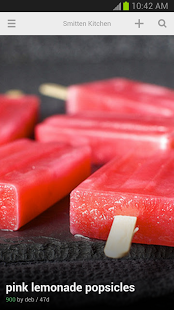
Feedly is an RSS news reader re-imagined for android phones and tablets. It makes browsing faster and more fun: the content of your rss feeds, news sites and blogs are transformed into pocket-sized cards which load very fast and are easy to browse.
The feedly UI is custom tailored for a 4″ phone, a 7″ tablet and a 10″ tablet. If you run feedly on a tablet, you will get an experience which is very close to a personalized magazine: a really fun way to track and read your favorite blogs.
When you run feedly on a phone and on a tablet, the configuration will automatically syncs between both devices.
Feedly makes sharing content on twitter, facebook and google+ very simple, either directly or using Buffer. Feedly also integrates with Pocket, Instapaper and Evernote.

Thursday, February 13, 2014

gReader Pro | Feedly | News 3.6.1


 Current Version: 3.6.1
Requires Android: 2.1 and up
Category: News & Magazines
v3.6.1 update:
v3.6.1
* Improved: Widgets
* Fixed: Offline reading
* Fixed: Small fixes
v3.6.0
* New: Use gReader as a RSS Reader without a service (data are saved locally)
* New: Article font size, font type, text alignment (Article View: Menu->Fonts)
* Improved: Widgets (Pro): Support background color and opacity, text size (http://greader.co/widgets)
* Improved: Text wrapping on KitKat
* Fixed: Login issue on Feedly
* Fixed: Pocket login issue
Overview:
gReader is a simple, fast and intuitive feed/rss reader for Android, featuring beautiful themes, podcast support and full offline support. Read all your rss/feed news in one place, where keeping up with your favorite websites is as easy as checking your email.
more on http://greader.co
NOTES:
* The Old Reader: To use The Old Reader you need to create a mobile login in TOR settings
* Instapaper server for mobilizer seems to have an issue which results to 502 gateway error.
* Please let us know of any issues you encounter via email.
* If you still get ads: Clear the cache of the market and check the license in gReader again (Menu->More->Check License)
* Read the FAQ before commenting: http://greader.co/faq
* You want to suggest new features or report issues, use the Feedback button.
* Localization If you are interested in translating gReader to other languages, visit http://crowdin.net/project/greader/
* Beta: http://greader.co/beta
* Play Store: https://play.google.com/store/apps/details?id=com.noinnion.android.greader.readerpro
SERVICES:
* Feedly Cloud: Feedly Cloud is a new way to browse the content of your favorite sites.
* The Old Reader: The Old Reader is a simple, web-based RSS reader with lots of great sharing features.
FEATURES (PRO):
* Support developers
* Ad free version
* Better Widgets (Ticker)
* Downloading Podcasts
* Voice-Reading
FEATURES:
* Synchronization: Use gReader at home, at your office, or anywhere you go and keep your feeds, tags and shared items synched in one place.
* 2-Way Sync: Synchronize your read items between gReader and Google Reader. Keep your articles up-to-date
* Auto synchronization
* User Interface: Simple, fast and intuitive
* Tablet optimized: Read your news more comfortable on a tablet
* Themes: Light, Black and Dark
* Night Mode: Read your articles with white font on black background. Save battery and increase readability in the night.
* Offline Reading with full article content without internet connection.
* Mark read on scroll
* Podcast support (streaming)
* Voice-Reading (Text-To-Speech)
* Folders / Tags support
* Notification
* Share articles via Email, Facebook, Twitter, …
* Services: Translation, Mobilizer (Google, Instapaper, Readability)
* Save to Pocket (Read it later) / Instapaper / Readability
* Search feature: Search and filter keywords, save search results
* Sort: by newest, by oldest, by feed
* Quick and Swipe actions: faster access to useful functions
* Rich article list (snippet and thumbnail)
* Widget: Icon widget with unread badge
* Easy Reading: Reading mode view, inverse webpage color
* Fullscreen mode: Enlarge your reading space
* Recommended items / sources
* HTTPS connection: Use Http Secure to get your feeds
* App2SD
* Backup/Restore: Backup/Restore your preferences
Try it yourself and build your own opinion.
PERMISSIONS:
* GET_ACCOUNTS, USE_CREDENTIALS: Allows access to the list of accounts for quick login.
* READ_LOGS: Used for feedback feature. Users could send logs to developer for identifying issues.

Wednesday, February 12, 2014

gReader Pro | Feedly | News 3.6.0


 Current Version: 3.6.0
Requires Android: 2.1 and up
Category: News & Magazines
v3.6.0 update:
* NOTE: Feedly and The Old Reader support
** NOTE: Try News+ app for other services. http://newsplus.co/introducing-newsplus/
v3.6.0
* New: Use gReader as a RSS Reader without a service (data are saved locally)
* New: Article font size, font type, text alignment (Article View: Menu->Fonts)
* Improved: Widgets (Pro): Support background color and opacity, text size (http://greader.co/widgets)
* Improved: Text wrapping on KitKat
* Fixed: Login issue on Feedly
* Fixed: Pocket login issue
Overview:
gReader is a simple, fast and intuitive feed/rss reader for Android, featuring beautiful themes, podcast support and full offline support. Read all your rss/feed news in one place, where keeping up with your favorite websites is as easy as checking your email.
more on http://greader.co
NOTES:
* The Old Reader: To use The Old Reader you need to create a mobile login in TOR settings
* Instapaper server for mobilizer seems to have an issue which results to 502 gateway error.
* Please let us know of any issues you encounter via email.
* If you still get ads: Clear the cache of the market and check the license in gReader again (Menu->More->Check License)
* Read the FAQ before commenting: http://greader.co/faq
* You want to suggest new features or report issues, use the Feedback button.
* Localization If you are interested in translating gReader to other languages, visit http://crowdin.net/project/greader/
* Beta: http://greader.co/beta
* Play Store: https://play.google.com/store/apps/details?id=com.noinnion.android.greader.readerpro
SERVICES:
* Feedly Cloud: Feedly Cloud is a new way to browse the content of your favorite sites.
* The Old Reader: The Old Reader is a simple, web-based RSS reader with lots of great sharing features.
FEATURES (PRO):
* Support developers
* Ad free version
* Better Widgets (Ticker)
* Downloading Podcasts
* Voice-Reading
FEATURES:
* Synchronization: Use gReader at home, at your office, or anywhere you go and keep your feeds, tags and shared items synched in one place.
* 2-Way Sync: Synchronize your read items between gReader and Google Reader. Keep your articles up-to-date
* Auto synchronization
* User Interface: Simple, fast and intuitive
* Tablet optimized: Read your news more comfortable on a tablet
* Themes: Light, Black and Dark
* Night Mode: Read your articles with white font on black background. Save battery and increase readability in the night.
* Offline Reading with full article content without internet connection.
* Mark read on scroll
* Podcast support (streaming)
* Voice-Reading (Text-To-Speech)
* Folders / Tags support
* Notification
* Share articles via Email, Facebook, Twitter, …
* Services: Translation, Mobilizer (Google, Instapaper, Readability)
* Save to Pocket (Read it later) / Instapaper / Readability
* Search feature: Search and filter keywords, save search results
* Sort: by newest, by oldest, by feed
* Quick and Swipe actions: faster access to useful functions
* Rich article list (snippet and thumbnail)
* Widget: Icon widget with unread badge
* Easy Reading: Reading mode view, inverse webpage color
* Fullscreen mode: Enlarge your reading space
* Recommended items / sources
* HTTPS connection: Use Http Secure to get your feeds
* App2SD
* Backup/Restore: Backup/Restore your preferences
Try it yourself and build your own opinion.
PERMISSIONS:
* GET_ACCOUNTS, USE_CREDENTIALS: Allows access to the list of accounts for quick login.
* READ_LOGS: Used for feedback feature. Users could send logs to developer for identifying issues.

Tuesday, January 28, 2014

Feedly 18.1.2


Download via Google Play:

Current Version: 18.1.2
Requires Android: 2.2 and up
Category: News & Magazines
v18.1.2 update:
New in 18
★ Speed reading
★ New nexus 7 design
★ Google+ login and sharing dialog
★ Mark all as read card with reading stats
Fixed in 18.1
★ Cut and paste issue in the search box
★ Twitter sharing issue.
★ Mark all as read bug.
★ Image processing and image resizing on rotation.
Please report bugs at:
https://plus.google.com/communities/113648582731838175643
Overview:
We make reading the web a little faster, better.
Instead of having to hunt down for news, feedly aggregates the contents of your favorite sites and delivers them as a fast mobile-optimized experience.
You tailor feedly to your tastes by creating a collection of the sites you love to read – blogs, magazines, journals, and more.
Feedly is an RSS news reader re-imagined for android phones and tablets. It makes browsing faster and more fun: the content of your rss feeds, news sites and blogs are transformed into pocket-sized cards which load very fast and are easy to browse.
The feedly UI is custom tailored for a 4″ phone, a 7″ tablet and a 10″ tablet. If you run feedly on a tablet, you will get an experience which is very close to a personalized magazine: a really fun way to track and read your favorite blogs.
When you run feedly on a phone and on a tablet, the configuration will automatically syncs between both devices.
Feedly makes sharing content on twitter, facebook and google+ very simple, either directly or using Buffer. Feedly also integrates with Pocket, Instapaper and Evernote.